Free — just add your email and use it

Every AI you need,
in one desktop app

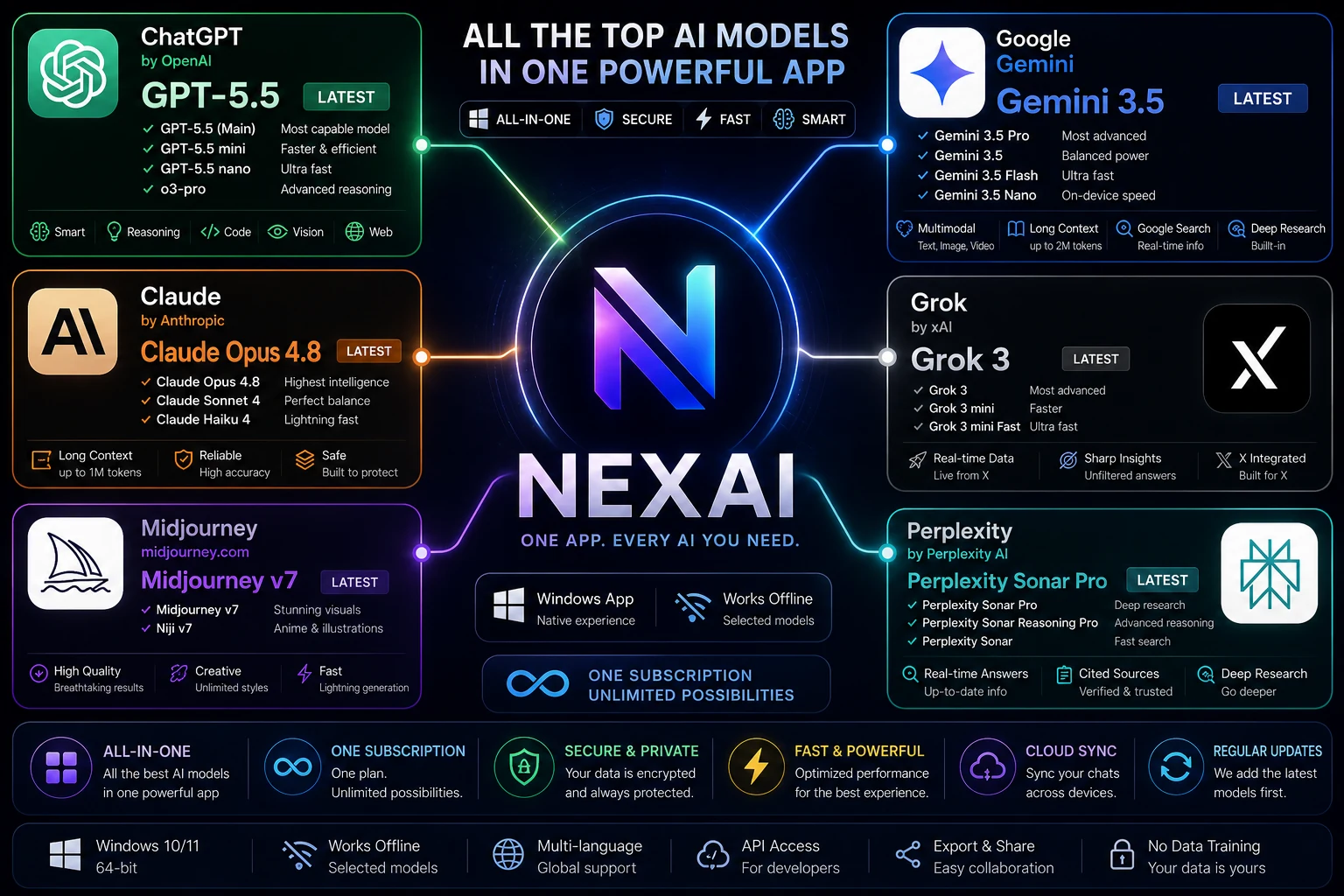
NexAI puts the top AI models — GPT, Claude, Gemini, Grok, Perplexity, and Midjourney — behind a single window on your PC. No tab-juggling, no separate logins. Free while we're in beta.
Windows 10 & 11 No usage limits in beta Local history
NexAI brings GPT, Claude, Gemini, Grok, Perplexity and Midjourney into one Windows app

Product names and trademarks shown belong to their respective owners. NexAI is independent and not affiliated with or endorsed by them; it provides access to these models through their official APIs.

Capabilities Chat Images Code Voice Documents Search Translation
// one window, many tools

All your AI tools, side by side

Pick a capability and start working. Everything lives in the same app, so switching tasks takes one click — not one more browser tab.

// why it's free

One window in front of many models

NexAI combines our own in-house models with access to leading third-party AI engines through their official APIs — so you get them side by side in a single desktop app instead of paying for a separate subscription to each.

GPT · OpenAI Claude · Anthropic Gemini · Google Perplexity Grok · xAI Midjourney

Accessed through each provider's official API. All product names and trademarks are the property of their respective owners. NexAI is independent and not affiliated with, endorsed by, or sponsored by any of them.

It's free during beta because our plan is to support NexAI with light, optional in-app advertising later — not by charging you for access. You can use every tool today, with no limits, while we grow.

See all available models

One app, every model

Stop juggling ten browser tabs and ten logins. NexAI brings chat, image, code, and voice models into a single native window.

No limits in beta

Every tool is free with no message caps and no credit meter. We plan to keep access free and support NexAI with optional in-app ads later — not by charging you.

Built for desktop

A real Windows app, not a wrapper. Global hotkey, system tray, offline-friendly history, and fast window switching.

Your data stays yours

Conversations are stored locally on your machine by default. You decide what leaves your device.

Native Windows

Installs in seconds, launches instantly, and feels like it belongs on your taskbar — because it does.

Switch models mid-task

Start a draft in one model, refine it in another, generate a matching image — without leaving the window.

8+
AI capabilities
1
App to install
0
Usage limits in beta
Tasks per day
// getting started

From download to first result in a minute

STEP 01

Download & install

Grab the Windows installer and run it. NexAI sets up in a few seconds — no account or API keys required to start.

STEP 02

Pick a tool

Open the app and choose what you need — chat, an image, a code fix, a voice clip. Each tool is one click away.

STEP 03

Work without limits

Use any tool as much as you want while NexAI is in beta. Switch models mid-task and keep your history on your machine.

// good to know

Frequently asked questions

Yes. Every tool inside NexAI is free to use during beta, with no message limits and no usage meter. Our plan is to keep core access free and support the app with light, optional in-app advertising later — rather than charging you for access. We'll always announce changes in advance.
NexAI is currently available for Windows 10 and 11 (64-bit). macOS and Linux builds are planned — join the early-access list and we'll email you when they land.
No. NexAI works out of the box. You don't need to bring keys from any provider or set up anything technical — install, open, and start.
NexAI combines our own in-house models with access to leading third-party engines through their official APIs — including GPT (OpenAI), Claude (Anthropic), Gemini (Google), Perplexity, Grok (xAI), and Midjourney. You get them in one window instead of juggling separate apps and subscriptions. See the Models page for details.
No. NexAI is an independent application that gives you a single interface to work with multiple AI capabilities. Where we integrate with third-party engines, we do so through their official channels, but NexAI is not endorsed by or affiliated with any third-party AI provider.
By default, your conversation history is stored locally on your computer. You stay in control of what data is sent when you use a given tool. See our Privacy Policy for details.

Ready to put every AI in one place?

Download NexAI for Windows, or join the early-access list for macOS and Linux. Free while we're in beta.

Get NexAI